Exposing System Process Monitors to the Web (and Why It’s a Bad Idea)
Monitoring your system remotely is relatively commonplace - hence, many people use readily available open source software to do so. However, many of these users - especially "home server" individuals - have little understanding of the (usually) necessary configuration of these tools.
Given that these are "remote" monitoring programs, these users will often take steps to expose the web interface of these monitors "publicly" - with no "safeguards" in place.
Particularly in the case of "Glances", a default password is provided - though you can change it by running the process with argument "--password"; alternatively, one can be set directly in the configuration file:¹
[passwords]
# Define the passwords list
# Syntax: host=password
# Where: host is the hostname
#        password is the clear password
# Additionally (and optionally) a default password could be defined
localhost=mylocalhostpassword
default=mydefaultpassword
In isolation, this isn't necessarily a "problem" - indeed, a multitude of other "server" applications have a similar setup flow. In contrast, specifically with regard to Glances, the docker container has had a multi-year open discussion² ("converted" from an issue³) where neither of these configuration steps provide a secured setup - neither process arguments, nor configuration changes prove serviceable, and are entirely ignored by the application.²
There is a supposed "workaround", entailing creating a "secrets file"; to the developer(s) credit, this process is described in the documentation⁴; however, it seems many users of the docker container encounter issues implementing this solution effectively.²
Without this additional configuration step, the web interface is freely available to access by any individual that happens to "find" it.
The resultant exposure is Glances printing the entire path of running processes - including their additional arguments. In some cases, these contain sensitive information, such as usernames, passwords, and API keys. Below are a few examples of such occurrences (the most sensitive of information has been cropped or obfuscated for discretion).
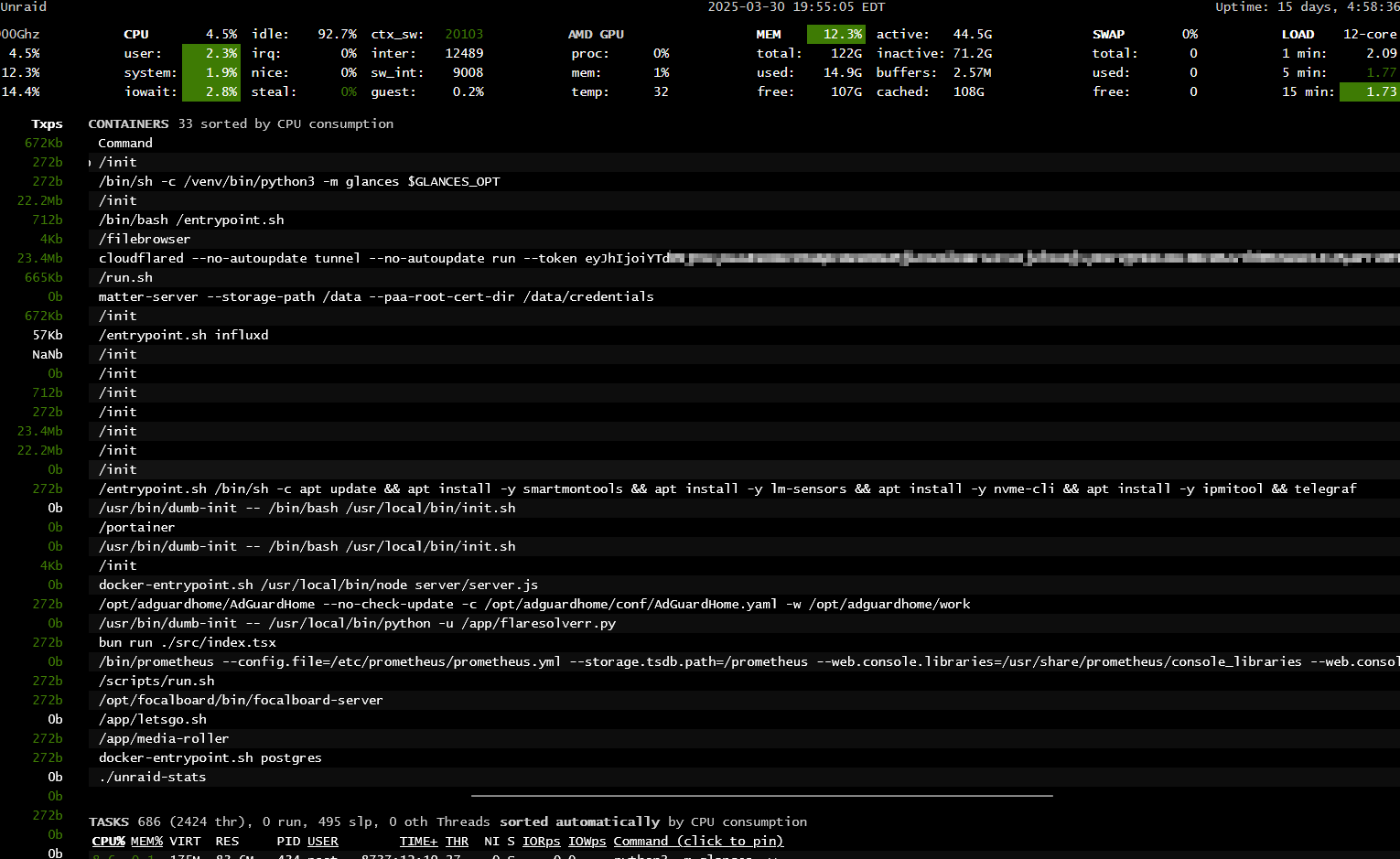
Unauthenticated Glances instance exposing Cloudflare token on "unRAID" - a popular "homelab" operating system
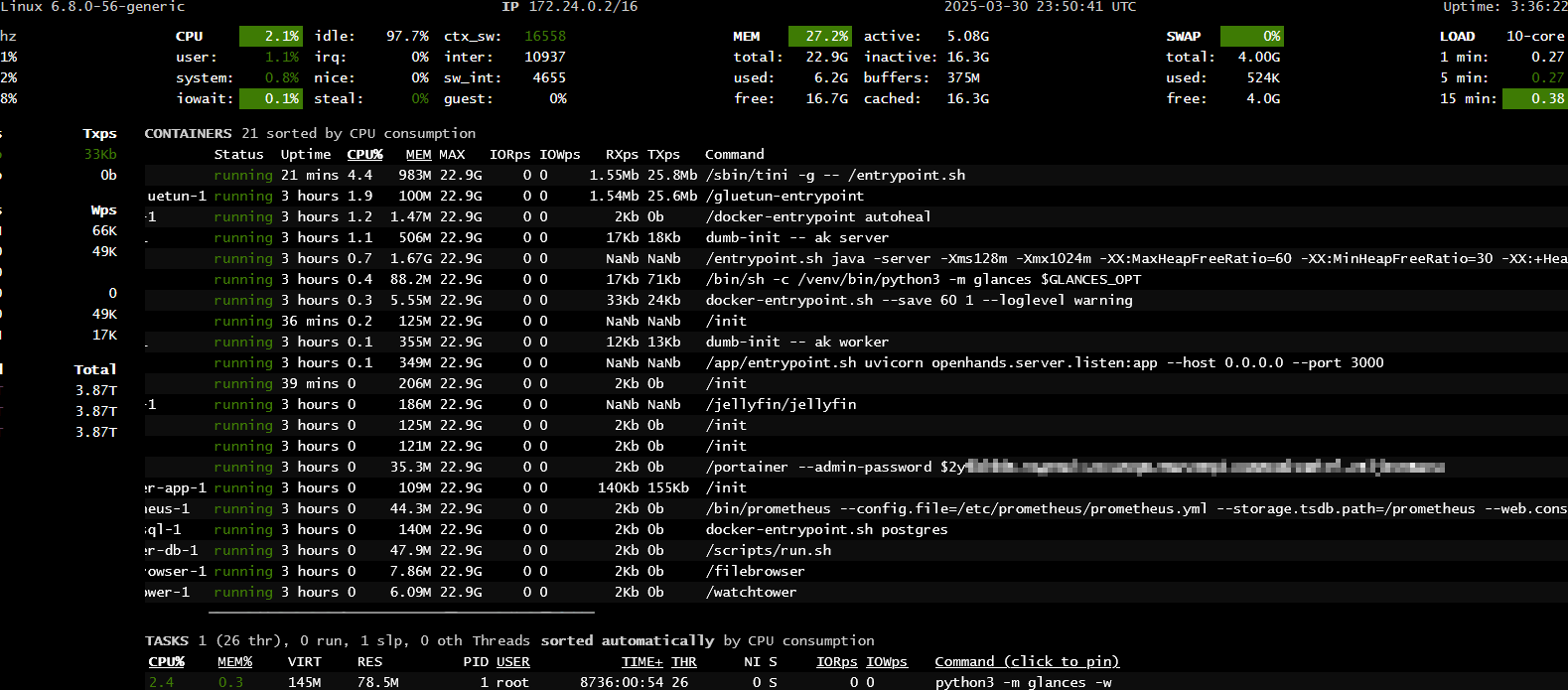
Open web interface for Glances, exposing Portainer administrator password
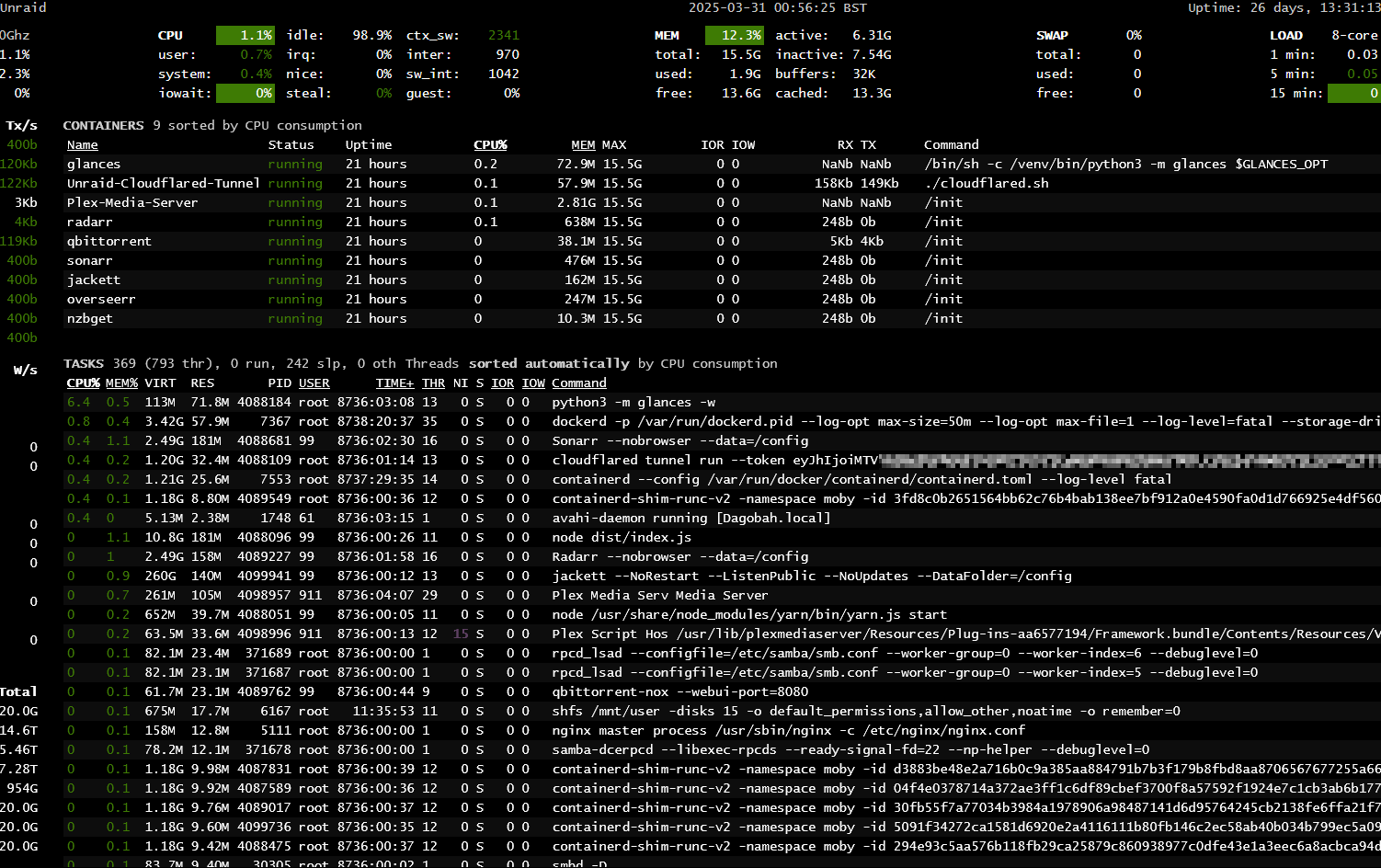
Another Cloudflare token exposed by unconfigured Glances installation, also on unRAID
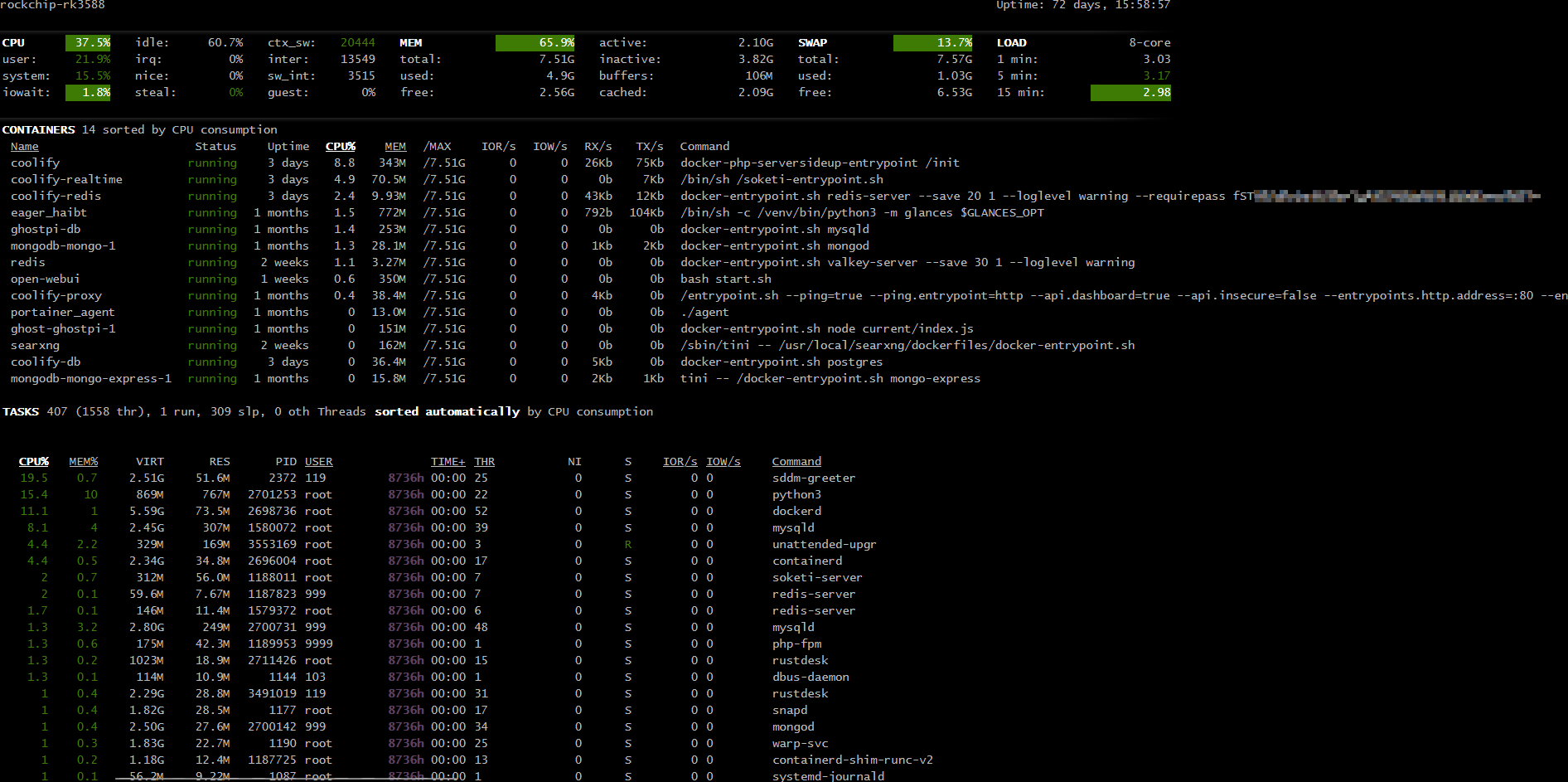
An exposed Redis password, resulting from Glances misconfiguration
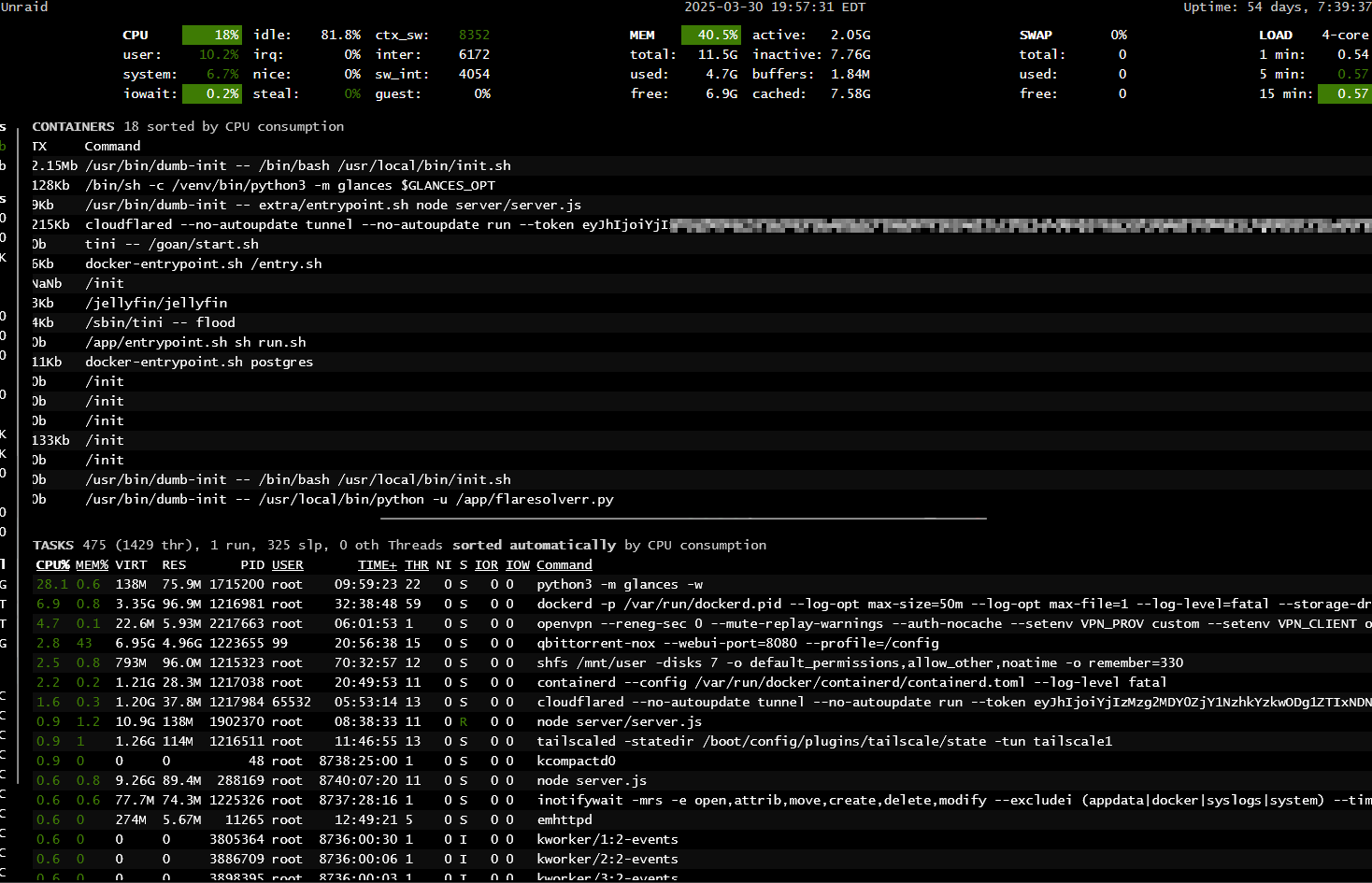
A third exposed Cloudflare token - again on unRAID; likely from a "buggy" Glances docker installation
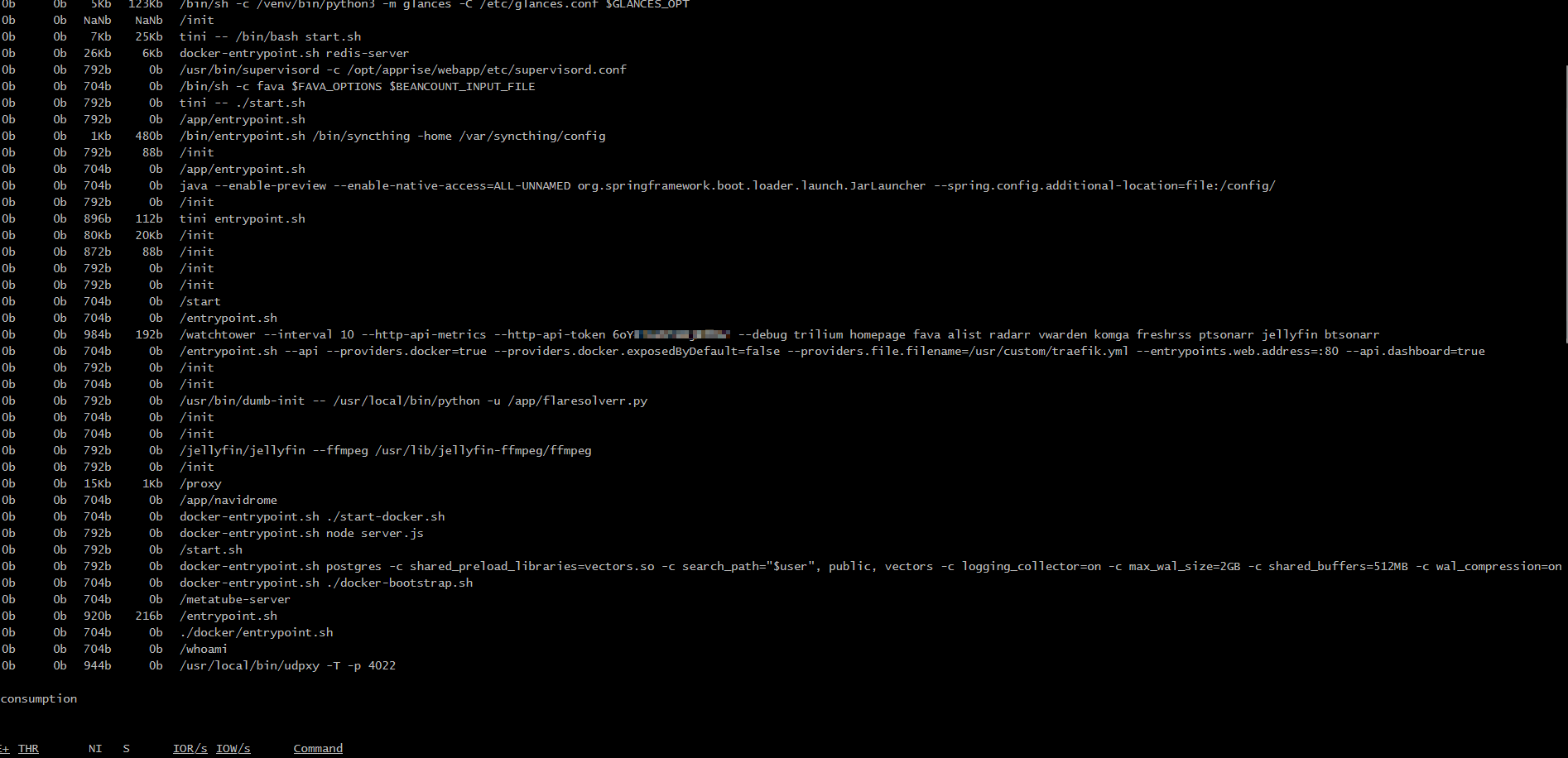
Publicly visible Glances webpage, exposing a Watchtower API token
Other possible examples of this oversight are easily discoverable via searching with the below provided syntax; with possible modification(s) regarding the specific desired credential(s):
intitle:"Glances" intext:"cloudflared"An Easy "Fix" - Yet Puzzlingly, Unimplemented
The easiest "solution"? Reverse proxy port 61209 (default) behind a webserver, and implement authentication using the aforementioned. Yet bizarrely, 5 of the 6 exposed Glances instances were already configured with a reverse proxy - though authentication was entirely absent. This implies that these users are naive to the possible implication(s) of leaving these applications exposed to the clear web.
¹Quickstart - Glances - "How do you protect your server (or Web server) with a login/password?"
²Glances Github - "Password protection" (Discussion 2274)
³Glances Github - "Password protection" (Issue 2268)
⁴Glances Github - "Documentation to password protect Dockerized Glances" (Commit 33ca1d7)